Introduction
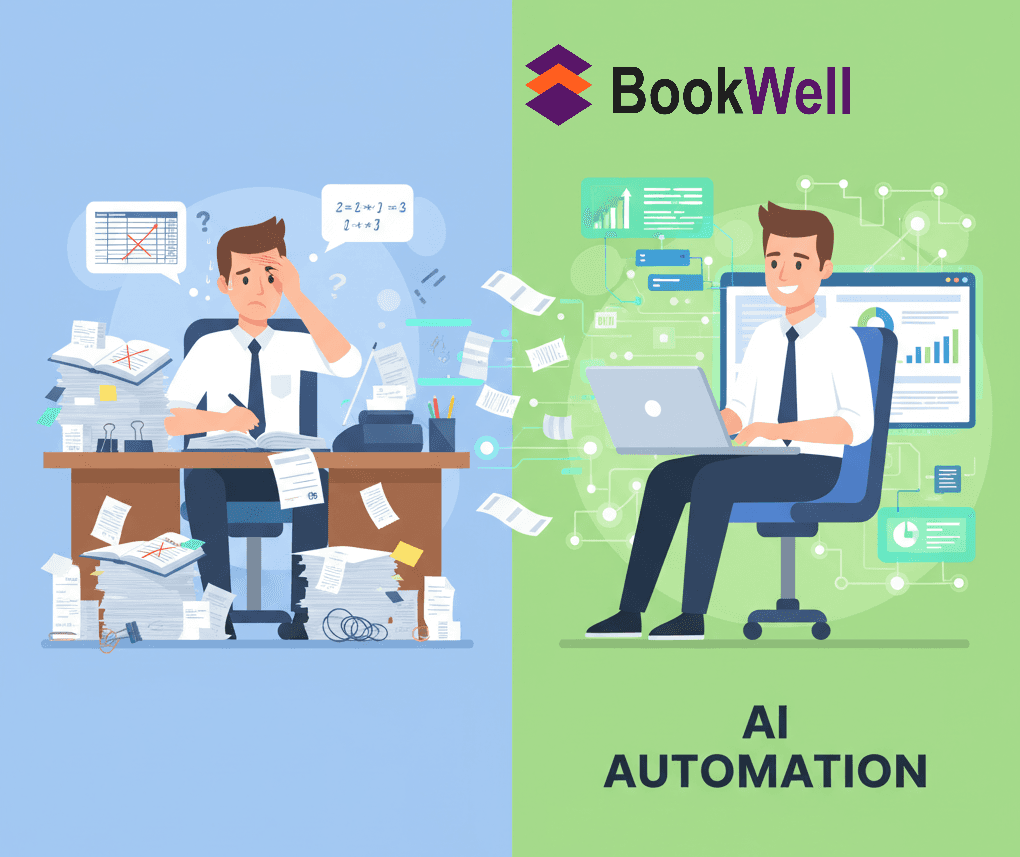
Manual bookkeeping carries a 1% to 3% error rate, leading to dozens of mistakes per 1,000 transactions[1]. For businesses still relying on paper ledgers and spreadsheets, these errors translate into delayed reporting, compliance issues, and lost opportunities. As we move through 2026, the gap between manual and automated bookkeeping continues to widen, making digital transformation not just beneficial but essential for survival.
BookWell has helped hundreds of businesses automate their bookkeeping processes, reducing manual data entry by up to 95% while improving accuracy and compliance. This comprehensive guide walks you through every step of transitioning from manual ledgers to AI-powered bookkeeping software, ensuring your business gains real-time financial visibility without disrupting daily operations.
The transition may seem daunting, but with the right approach and tools, most businesses complete the migration within 4-6 weeks while immediately experiencing time savings and improved accuracy.
Why Transition from Manual Ledgers to AI Bookkeeping Software?
Businesses using AI bookkeeping automation save $1,400+ per month compared to traditional bookkeeping methods while gaining real-time data access[2].
The Hidden Costs of Manual Bookkeeping
Manual accounting methods create multiple hidden costs that extend far beyond the obvious time investment:
Time Drain: Small business owners typically spend 10-20 hours per month on manual bookkeeping tasks. This time could be redirected toward revenue-generating activities, strategic planning, or business development.
Error Remediation: Manual data entry errors require additional hours to identify and correct. The average error rate of 10-15% in manual processes means constant reconciliation work and potential financial discrepancies[3].
Delayed Financial Decisions: Without real-time data, business owners make decisions based on outdated information. This delay can result in missed opportunities, cash flow problems, and reactive rather than proactive management.
Compliance Risks: Manual record-keeping increases the risk of missing tax deadlines, filing incorrect returns, or failing to maintain adequate documentation for audits.
The AI Bookkeeping Advantage
Modern AI bookkeeping software like BookWell delivers transformative benefits:
Automated Data Capture: AI systems automatically extract financial data from receipts, invoices, and bank statements, eliminating 95% of manual data entry[4].
Line-by-Line Categorization: Advanced algorithms categorize transactions automatically, learning from patterns to ensure consistency and accuracy across all entries.
Real-Time Financial Monitoring: BookWell provides instant visibility through automated Trial Balance reporting and Business Activity Statement generation, giving owners and accountants immediate access to accurate information.
Proactive Compliance: Built-in ABN and GST alerts, along with ATO Benchmarking criteria checks, ensure businesses meet regulatory requirements while maintaining precise records.
Fraud Detection: AI systems flag unusual activity and transactions that fall outside normal patterns, protecting businesses from potential fraud before it escalates.
Assessing Your Current Manual Bookkeeping Process
Before beginning your transition, conduct a thorough assessment of your existing bookkeeping workflow to identify automation opportunities and potential challenges.
Document Your Current Workflow
Create a detailed map of your current bookkeeping processes:
List all recurring bookkeeping tasks (data entry, invoicing, reconciliation, reporting)
Estimate time spent on each task per week/month
Identify which tasks are most repetitive and error-prone
Note pain points where delays or mistakes frequently occur
Document your current chart of accounts and categorization system
Evaluate Your Financial Records
Assess the current state of your financial documentation:
Completeness: Are all transactions recorded? Are there gaps in your records?
Organization: How are receipts, invoices, and statements currently stored? Are they easily accessible?
Accuracy: When was your last reconciliation? Are there known discrepancies?
Compliance Status: Are you current with tax filings? Do you have adequate documentation for potential audits?
Identify Integration Requirements
Determine what systems and accounts need to connect to your new bookkeeping software:
Business bank accounts and credit cards
Payment processors (Stripe, Square, PayPal)
Invoicing systems or CRM platforms
Payroll services
Inventory management systems
E-commerce platforms
This assessment provides the foundation for selecting the right software and planning your transition timeline.
Choosing the Right AI Bookkeeping Software
BookWell offers fully automated bookkeeping with line-by-line expense categorization, starting at $19/month with unlimited users[5].
Key Features to Prioritize
When evaluating AI bookkeeping solutions, focus on these essential capabilities:
Automated Bank Feeds: The software should connect directly to your financial institutions and automatically download transactions daily. BookWell supports hundreds of banks and payment processors, ensuring seamless data flow.
AI-Powered Categorization: Look for systems that use machine learning to categorize transactions automatically and improve accuracy over time. BookWell's AI algorithms learn from your patterns, achieving 95%+ accuracy after the initial learning period.
Real-Time Reporting: Essential reports (Profit & Loss, Balance Sheet, Cash Flow, Trial Balance) should generate automatically from live data without waiting for month-end closing.
Compliance Tools: Built-in compliance features save significant time and reduce risk. BookWell includes ABN and GST alerts, ATO Benchmarking criteria integration, and automated BAS generation.
Multi-User Access: Choose software that allows your team, accountant, and advisors to access financial data simultaneously. BookWell offers unlimited users at no additional cost.
Mobile Accessibility: Cloud-based solutions enable access from anywhere, essential for modern business operations.
BookWell vs. Traditional Solutions
BookWell stands out with several key advantages:
End-to-End Automation: Unlike partial automation tools, BookWell handles the complete bookkeeping workflow from data capture through reporting and compliance.
Interactive Financial Insights: BookWell's AI generates custom financial insights and visualizations, allowing users to interact with company data for deeper financial understanding.
Cost-Effective Pricing: At $19/month with unlimited users and multi-company management, BookWell provides exceptional value compared to competitors charging $38-275/month with user limits.
Free Tier Available: BookWell offers a free version for startups and solo traders with monthly document processing limits, making it accessible for businesses at any stage.
Step-by-Step Transition Process
Most businesses complete the transition to AI bookkeeping within 4-6 weeks, with immediate time savings evident from week one.
Phase 1: Preparation (Week 1)
Clean Up Your Records
Before migrating data, organize your existing financial records:
Gather all receipts, invoices, and bank statements from the past 12 months
Complete any pending reconciliations
Resolve known discrepancies or errors
Organize documents chronologically and by category
Create digital copies of paper records through scanning
Backup Everything
Create comprehensive backups of all financial data before making any changes. Store backups in multiple locations (cloud storage and external drive) to ensure data security.
Set Up Your Software Account
Sign up for BookWell and complete the initial account configuration:
Create your company profile with accurate business information
Set up user accounts for team members who will access the system
Configure security settings including two-factor authentication
Review privacy settings and data handling policies
Phase 2: Configuration (Week 2)
Build Your Chart of Accounts
The chart of accounts is the foundation of your bookkeeping system. It categorizes all financial transactions:
Start with BookWell's industry-specific template as a foundation
Customize categories to match your business needs
Include all income sources, expense categories, assets, and liabilities
Keep the structure simple initially—you can add complexity later
Document the purpose of each account for consistency
Connect Financial Accounts
Link all business financial accounts to BookWell:
Business checking and savings accounts
Business credit cards
Payment processors (Stripe, Square, PayPal, etc.)
Merchant accounts
Line of credit accounts
BookWell uses secure, read-only connections that cannot initiate transfers without your approval, ensuring bank-level security.
Configure Automation Rules
Set up rules that tell BookWell how to categorize transactions automatically:
Create rules for recurring transactions (monthly subscriptions, rent, utilities)
Set vendor-specific rules ("All transactions from AWS = Cloud Services Expense")
Configure revenue recognition rules for different income streams
Establish approval workflows for transactions above certain thresholds
Phase 3: Data Migration (Week 3)
Import Historical Data
Transfer your existing financial records into BookWell:
Opening Balances: Enter opening balances for all accounts as of your start date. This establishes your baseline financial position.
Historical Transactions: Import the past 12 months of transactions for trend analysis and comparison. BookWell's import tools accept CSV files from spreadsheets or exports from previous software.
Customer and Vendor Lists: Import contact information for customers and vendors to streamline invoicing and expense tracking.
Verify Data Accuracy
After importing data, conduct thorough verification:
Run reconciliation reports comparing imported data to bank statements
Verify that opening balances match your previous records
Check that all major transactions transferred correctly
Review categorization of imported transactions
Correct any errors before proceeding
Run Parallel Systems
For the first month, maintain both your manual ledgers and BookWell simultaneously. This parallel operation provides a safety net and allows you to verify that BookWell captures all transactions accurately before fully committing to the new system.
Phase 4: Training and Adoption (Week 4)
Train Your Team
Ensure everyone who will use BookWell understands the system:
Basic Navigation: Familiarize users with the interface, dashboard, and main features.
Daily Tasks: Train on routine activities like entering transactions, uploading receipts, and running basic reports.
Review Processes: Establish procedures for reviewing AI-categorized transactions and approving corrections.
Best Practices: Share guidelines for maintaining accurate, up-to-date records.
BookWell provides comprehensive training resources including video tutorials, documentation, and live support to facilitate smooth onboarding.
Establish New Workflows
Create standardized procedures for common bookkeeping tasks:
Daily: Review and approve AI-categorized transactions (15 minutes)
Weekly: Upload receipts and verify expense categorization (30 minutes)
Monthly: Review financial reports and complete reconciliation (1-2 hours)
Quarterly: Prepare for tax filings and review compliance alerts
Set Up Financial Dashboards
Configure BookWell's dashboard to display your most important metrics:
Current cash balance and cash flow forecast
Monthly revenue and expense trends
Profitability metrics
Outstanding invoices and bills
Budget vs. actual comparisons
Set up automated alerts for critical events like low cash balances, unusual transactions, or approaching payment deadlines.
Phase 5: Optimization (Weeks 5-6)
Monitor and Refine
During the first month of full operation, closely monitor system performance:
Review AI categorization accuracy weekly
Refine automation rules based on patterns you observe
Adjust your chart of accounts if needed
Optimize workflows based on team feedback
Identify additional automation opportunities
Integrate Additional Tools
Expand BookWell's capabilities by connecting complementary systems:
CRM systems for customer data synchronization
E-commerce platforms for automatic sales recording
Inventory management for cost of goods sold tracking
Time tracking tools for project-based billing
Tax preparation software for seamless filing
Discontinue Manual Systems
Once you've verified that BookWell captures all transactions accurately and your team is comfortable with the new system, discontinue your manual ledgers. Archive paper records according to your retention policy and transition fully to digital bookkeeping.
Common Transition Challenges and Solutions
Even with careful planning, businesses encounter predictable challenges during the transition. Here's how to address them.
Challenge 1: Data Migration Errors
Problem: Historical data doesn't transfer perfectly, resulting in incorrect balances or missing transactions.
Solution: Import data in small batches and verify each batch before proceeding. Start with the most recent month, verify accuracy, then work backward. BookWell's support team can assist with complex migrations.
Challenge 2: Team Resistance
Problem: Team members comfortable with manual processes resist adopting new technology.
Solution: Involve team members in the selection process and emphasize how automation eliminates tedious tasks, allowing them to focus on more valuable work. Provide comprehensive training and ongoing support. Celebrate early wins to build momentum.
Challenge 3: Categorization Inconsistencies
Problem: AI categorizes some transactions differently than your manual system did.
Solution: During the first month, review all AI categorizations and correct any errors. BookWell learns from these corrections, improving accuracy over time. Document categorization guidelines for edge cases.
Challenge 4: Integration Complications
Problem: Some systems don't integrate smoothly with your new bookkeeping software.
Solution: Prioritize integrating your most critical systems first (bank accounts, primary payment processor). For systems without direct integration, use manual imports or consider switching to more integration-friendly alternatives. BookWell supports hundreds of integrations and continuously adds new connections.
Challenge 5: Reconciliation Discrepancies
Problem: Initial reconciliations reveal discrepancies between your manual records and the new system.
Solution: This is common and often reveals errors that existed in your manual system. Work systematically through discrepancies, comparing bank statements to both systems. Use this as an opportunity to correct long-standing errors and establish a clean baseline.
Maintaining Your AI Bookkeeping System
After completing the transition, establish routines that keep your financial data accurate and current.
Daily Maintenance (15 Minutes)
Review transactions downloaded overnight
Approve AI categorizations or make corrections
Upload any new receipts or invoices
Check dashboard alerts for unusual activity
Weekly Maintenance (30 Minutes)
Verify that all expected transactions have been captured
Review accounts receivable and follow up on overdue invoices
Check accounts payable and schedule upcoming payments
Review cash flow forecast and adjust as needed
Monthly Maintenance (1-2 Hours)
Complete bank reconciliation (mostly automated by BookWell)
Review financial reports (P&L, Balance Sheet, Cash Flow)
Compare actual performance to budget
Prepare for tax obligations
Review and optimize automation rules
Quarterly Maintenance (2-3 Hours)
Conduct comprehensive financial review with your accountant
Prepare quarterly tax filings using BookWell's automated BAS generation
Review and update your chart of accounts if needed
Assess whether additional integrations would improve efficiency
Analyze trends and adjust business strategy accordingly
Measuring Success: Key Metrics
Track these metrics to quantify the impact of your transition to AI bookkeeping.
Time Savings
Before: Hours spent on bookkeeping per month
After: Hours spent on bookkeeping per month
Target: 80-90% reduction in time spent on routine bookkeeping tasks
Most businesses reduce bookkeeping time from 10-20 hours per month to 1-2 hours per month for oversight only[2].
Accuracy Improvement
Before: Number of errors or discrepancies per month
After: Number of errors or discrepancies per month
Target: 90-95% reduction in errors
AI-powered categorization achieves 95%+ accuracy after the initial learning period, compared to 85-90% accuracy with manual entry.
Financial Visibility
Before: Days delay between transaction occurrence and recording
After: Real-time recording and reporting
Target: Same-day visibility for all transactions
BookWell provides real-time financial dashboards that update continuously as transactions occur.
Compliance Performance
Before: Tax filing deadlines missed or penalties incurred
After: Proactive compliance with automated alerts
Target: Zero compliance issues or late filings
BookWell's ABN and GST alerts, combined with automated BAS generation, ensure businesses meet all regulatory requirements.
Cost Savings
Before: Monthly cost of bookkeeping (software + labor)
After: Monthly cost of bookkeeping (software + labor)
Target: 50-70% reduction in total bookkeeping costs
Businesses typically save $1,400+ per month by transitioning from traditional bookkeeping to AI automation[2].
FAQ
How long does it take to transition from manual ledgers to AI bookkeeping software?
Most businesses complete the transition within 4-6 weeks. The timeline includes one week for preparation, one week for configuration, one week for data migration, and 2-3 weeks for training and optimization. BookWell's streamlined onboarding process and comprehensive support resources help businesses achieve full adoption quickly.
Will I lose historical financial data during the transition?
No. BookWell allows you to import historical data from manual ledgers or previous software. You can import up to several years of historical transactions for trend analysis and comparison. Always create complete backups of your manual records before beginning the transition.
Can AI bookkeeping software handle complex transactions?
Yes, but with varying degrees of automation. BookWell automatically handles 85-95% of transactions with high accuracy. Complex or unusual transactions that don't fit standard patterns are flagged for human review. This hybrid approach combines AI efficiency with human judgment for optimal accuracy.
How much does AI bookkeeping software cost?
BookWell starts at $19/month with unlimited users and multi-company management capabilities. This represents significant savings compared to traditional bookkeeping methods, which typically cost $1,500+/month for professional services or 10-20 hours/month of your time for DIY bookkeeping.
Is AI bookkeeping software secure?
Yes. BookWell uses bank-level encryption (256-bit SSL) to protect data in transit and at rest. Multi-factor authentication protects accounts from unauthorized access. The platform complies with data privacy regulations (GDPR, CCPA) and maintains SOC 2 and ISO 27001 certifications. Bank connections are read-only and cannot initiate transfers without your approval.
Conclusion
Transitioning from manual ledgers to AI bookkeeping software represents a fundamental shift in how businesses manage their finances. The benefits are clear: 80-90% time savings, 90-95% error reduction, real-time financial visibility, and proactive compliance management. For businesses still relying on manual processes, the question is no longer whether to transition but when.
BookWell makes the transition straightforward with end-to-end automation, AI-powered categorization, comprehensive compliance tools, and cost-effective pricing starting at $19/month. The platform's free tier allows startups and solo traders to experience the benefits of automation without financial commitment.
Start your transition today by assessing your current bookkeeping process, signing up for BookWell's free trial, and following the step-by-step process outlined in this guide. Within 4-6 weeks, you'll have a fully automated bookkeeping system that provides real-time insights, eliminates manual data entry, and frees your time to focus on growing your business.
Your financial data is too important to manage with outdated manual methods. Make 2026 the year you embrace AI bookkeeping automation and transform your business's financial management.
Ready to eliminate manual bookkeeping? Start your free BookWell trial today and experience automated bookkeeping with real-time insights.
References
[1] Forbes Finance Council, "The Real Cost Of Manual Accounting For SMBs," 2025. "With a 1% to 3% error rate, manual data entry can lead to dozens of mistakes per 1,000 transactions." https://www.forbes.com/councils/forbesfinancecouncil/2025/07/28/the-real-cost-of-manual-accounting-for-smbs/
[2] MBC Consulting, "Bookkeeping Automation: 2026 Guide to AI Tools, Benefits & Cost," 2026. "If you would otherwise hire a bookkeeper at $1,500+/month, automation saves you $1,400+/month while providing better accuracy and real-time data." https://www.mbcconsultant.com/blog/bookkeeping-automation-2026-guide-to-ai-tools-benefits-cost
[3] Otterz, "AI vs. Traditional Bookkeeping: The Real Cost Comparison," 2026. "Manual data entry carries an average error rate of roughly 10 to 15 percent according to multiple industry sources." https://otterz.co/ai-vs-traditional-bookkeeping-small-business-costs/
[4] BookWell, "How AI Bookkeeping Software Can Transform Your Business," 2025. "BookWell captures financial data directly from receipts, invoices, and bank statements processing. This reduces the reliance on manual entry, minimizes errors, and speeds up workflows." https://blog.bookwell.ai/2025/09/17/how-ai-bookkeeping-software-can-transform-your-business/
[5] BookWell, "The Ultimate Guide for Smart Bookkeeping: BookWell vs Booke," 2024. "BookWell stands out with its fully automated bookkeeping, interactive financial insights, and cost-effective pricing." https://blog.bookwell.ai/2024/08/01/bookwell-vs-booke-a-comprehensive-comparison-of-modern-bookkeeping-services/
#AIBookkeeping #BookkeepingSoftware #DigitalTransformation #SmallBusinessAccounting #AutomatedBookkeeping #FinancialAutomation #BookWellAI #CloudAccounting