BOOKWELL PRODUCT GUIDE
BookWell AI Receipt Scanner: from receipt to accounting data
BookWell’s AI Receipt Scanner turns receipt photos and electronic invoices into structured financial information. Capture a document, let AI read the details, then review the result as part of your bookkeeping workflow. The BookWell app adds Snap & Go for individual receipts and Batch Mode for a collection of documents.
In this guide

Receipt capture is the starting point. BookWell structures the extracted information for the wider accounting workflow.
Capture one receipt with Snap & Go, or several with Batch Mode
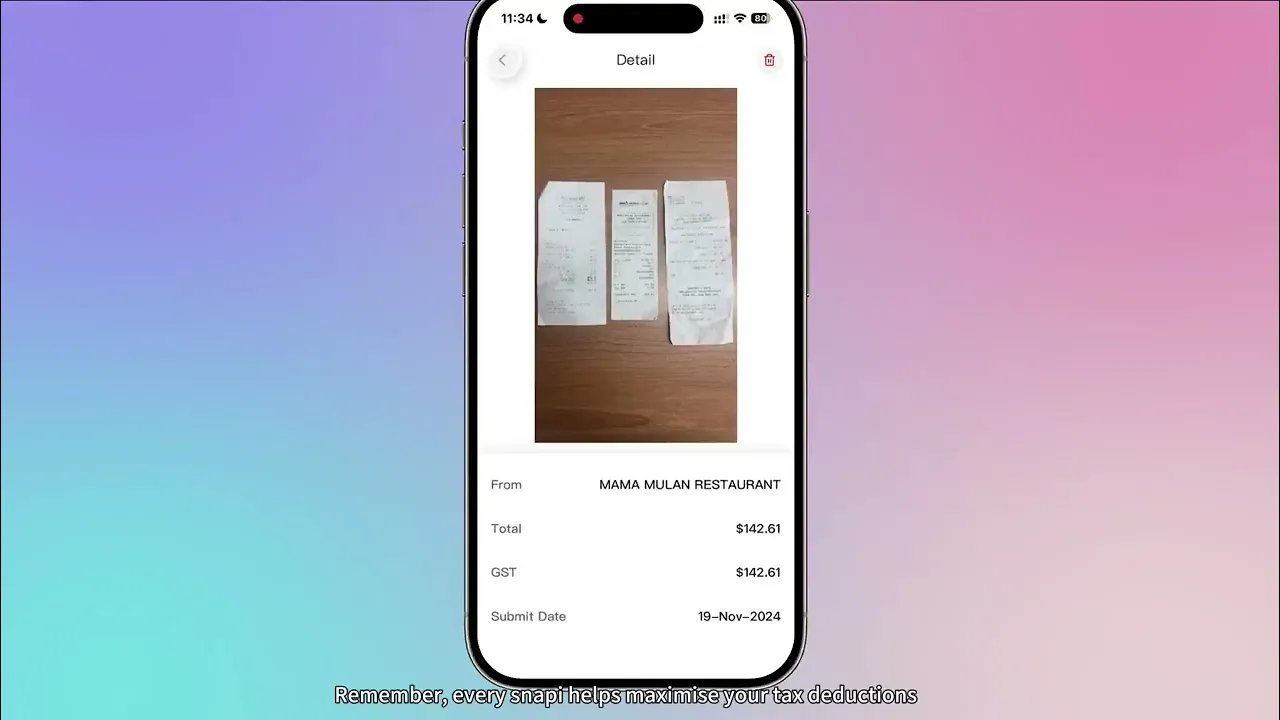
Snap & Go in the BookWell app is designed for the moment a receipt arrives. Photograph the receipt and let the AI Bookkeeper read and categorise the information, reducing the need to type the supplier, date and amount by hand.
Batch Mode is designed for receipts collected together. Photograph them one after another instead of entering each document’s details individually. For either approach, keep the document readable and include the full receipt. Capture quality affects what can be extracted and what will need your attention.
What information does BookWell extract?
Depending on the source document, BookWell can identify the supplier, transaction date, total amount, GST and line-item details. It structures those fields for accounting use, rather than leaving the result as a block of recognised text.
This distinction matters when receipts have different layouts. The same page may include a subtotal, a GST amount, a total and several item prices. BookWell uses AI-assisted document interpretation to identify the relevant financial details. You can review and correct the extracted information before using it in the next step.
Watch: automatic receipt scanning in BookWell
This official BookWell tutorial introduces receipt auto-scanning. Use it alongside the steps below to understand how capture fits into everyday bookkeeping.
Connect receipt capture with categorisation and matching
A scanned receipt is more useful when it is connected to the accounting record and the payment behind it. BookWell combines capture with expense categorisation, receipt and invoice matching, and bank reconciliation workflows through its AI Bookkeeper.
The AI Guardian supports related checks, including supplier ABN and GST information and potential duplicates. These checks help identify items that need attention; they do not make every purchase a deductible expense or guarantee that a GST credit is available. Your adviser should review business-specific treatment where needed.
Work with electronic invoices and Xero
BookWell’s document workflow also supports electronic supplier invoices. Its published capture workflow includes forwarding invoices to a BookWell workspace, extracting PDF line items and supplier details, and categorising expenses. Confirm the workspace submission address and setup before sending live documents.
For businesses keeping their ledger in Xero, BookWell can map the chart of accounts and tracking categories, process invoice line items and publish records to Xero as Draft or Awaiting Approval. This connects document collection with a defined review and publishing step instead of ending the process at a spreadsheet export.
Review the fields that drive your accounts
Compare the extracted supplier, date, total, GST and line items with the source document. If a receipt contains several types of purchase, check that the categories and treatment reflect the transaction. Retain the source document as part of your records and investigate anything that is unclear.
For a practical first run, capture a clear receipt, a supplier PDF and a more difficult document. Review the corrections required and check how the result flows into bookkeeping or Xero. Business owners and accounting firms can then agree a consistent routine for capturing documents and reviewing exceptions.
Frequently asked questions
Can BookWell process more than the final receipt total?
Yes. Its receipt workflow can extract supplier, date, GST and line-item information as well as totals. The available detail depends on the document and should be checked against the source.
Is receipt scanning separate from bookkeeping?
In BookWell, capture connects with categorisation, matching and the wider AI Finance Workforce. Scanning reads the source; the next steps organise the accounting record and connect it with payment activity.
Keep exploring BookWell
See the workflow with your own questions
Ask the BookWell team to walk through a typical document and transaction from your business. Discuss your current software, review process and the plan that fits your needs.
Ready to hire your AI workforce?
30 day trial, no credit card required.