BOOKWELL SOLUTIONS
AI bookkeeping for sole traders who have work to do
Run the business, capture the paperwork and keep your accountant in the loop. BookWell gives Australian sole traders and freelancers an AI Finance Workforce to help turn receipts, invoices and bank activity into organised accounting records. Start with the work that interrupts your day: typing receipt details, coding expenses and finding the right transaction.
In this guide

Ben, BookWell’s AI Bookkeeper, supports receipt capture, transaction coding and reconciliation.
Capture expenses while the purchase is still fresh
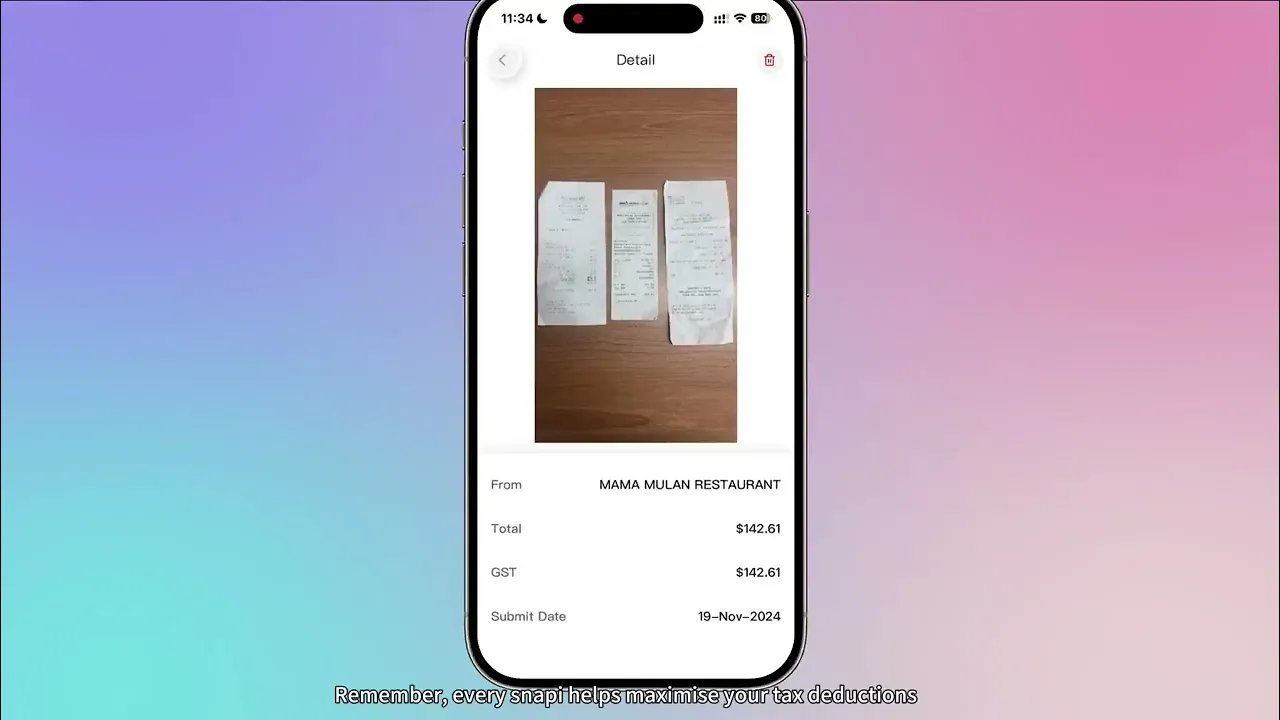
A fuel receipt in the ute, a supplier invoice in your inbox and a coffee meeting can quickly become a weekend pile of paperwork. Snap & Go in the BookWell app lets you photograph a receipt so the AI Bookkeeper can read and categorise its information. Batch Mode supports photographing several receipts one after another when you prefer to catch up in one session.
Keep the full document readable, then review the supplier, date, amount, GST and any line items extracted. A captured receipt gives you something useful to check against the accounting record and the payment. The business purpose still matters, especially where an expense includes both personal and business use.
Let Ben organise the routine bookkeeping
BookWell’s AI Bookkeeper brings document extraction, transaction categorisation, cash coding and matching into the same workflow. Instead of copying a total into one system and looking for the bank payment later, you can work through connected records and deal with unclear items as they arise.
For example, capture a tool purchase, check its details and review how the expense is categorised and connected to the payment. Recurring supplier information and previous bookkeeping decisions help provide context. Unfamiliar purchases and mixed-use expenses are useful items to discuss with your bookkeeper.
Watch: capture receipts with BookWell
See BookWell’s official receipt auto-scanning tutorial. Follow the capture workflow before trying a receipt from your own business.
Keep GST preparation connected to the evidence
Grace, the AI Guardian, supports checks for potential duplicates, unusual transactions and GST-related inconsistencies. This gives you a way to focus attention on records that may need a closer look rather than assuming every captured document is ready for reporting.
If you are registered for GST, agree a regular review routine with your adviser. Check missing documents, unresolved transactions and the reporting period before using the figures for BAS preparation. If you are not GST-registered, confirm the correct business settings when setting up your file.
Work with your accountant and your existing ledger
You do not have to decide on a complete software change to explore BookWell. Its Xero document-processing integration supports chart-of-accounts and tracking-category mapping, invoice line-item processing and publishing to Xero as Draft or Awaiting Approval.
Choose one entity and a small group of recent documents for your first walkthrough. Ask your accountant to confirm the categories and the review point. This makes it easier to see how BookWell fits your actual business without changing every part of your routine at once.
Build a simple weekly habit
Capture documents during the week, then reserve a short review session for outstanding items. Look for transactions with no supporting receipt, customer invoices awaiting attention and records that need your explanation. Clear these questions while you still remember the purchase or job.
As your business grows, discuss invoicing, financial reporting and the optional STP payroll add-on with BookWell. Choose capabilities around the work you need done and confirm current plan inclusions. Keep your adviser involved in tax treatment and other decisions requiring professional judgement.
Frequently asked questions
Is BookWell only for accounting firms?
No. BookWell serves Australian business owners as well as accounting firms. A sole trader can use its receipt capture and AI bookkeeping workflow while continuing to work with an accountant.
Can I keep using Xero?
BookWell supports a Xero document-processing and publishing workflow. Confirm your entity, mappings and supported data flow with the team before changing a live process.
Keep exploring BookWell
See the workflow with your own questions
Bring a typical example from your business to a BookWell walkthrough. Discuss your current systems, review responsibilities and the features included in the plan that fits your needs.
Ready to hire your AI workforce?
30 day trial, no credit card required.